Green Grow Precision Planting - Digital Growing Companion
A comprehensive thesis project developing an AI-augmented mobile app with smart sensor integration to help home gardeners achieve consistent yields through data-driven insights.
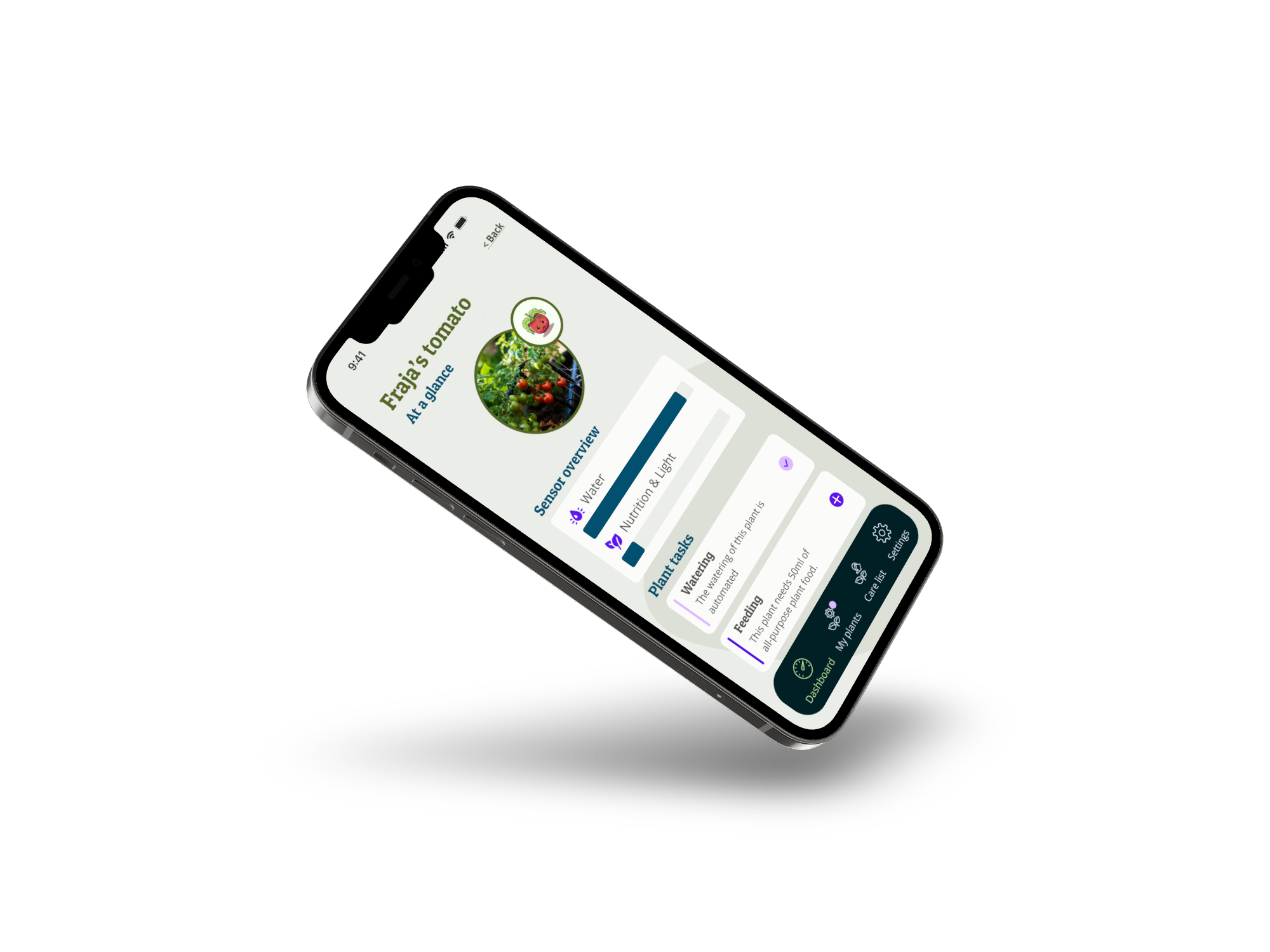
A smart growing companion that replaced gardening guesswork with soil sensor data — helping home growers achieve consistent yields for the first time.
The Brief
Home growing in the UK was having a moment. Food prices had risen 19.1% since 2021 and more people were growing their own. The problem: most of them failed. Not for lack of effort — for lack of accurate feedback. Watering schedules, feeding cycles, and soil conditions are invisible without the right tools, and the tools that existed were either expensive, complex, or designed for commercial agriculture.
The brief was to design a mobile app that used affordable soil moisture sensors to give home growers the kind of real-time guidance that would otherwise require an experienced gardener on call.
My Role
I led UX and UI design end-to-end as a thesis project — research, synthesis, information architecture, visual design, and prototyping. I also ran the competitive analysis and user testing, working with 19 participants across multiple rounds.
What Research Revealed
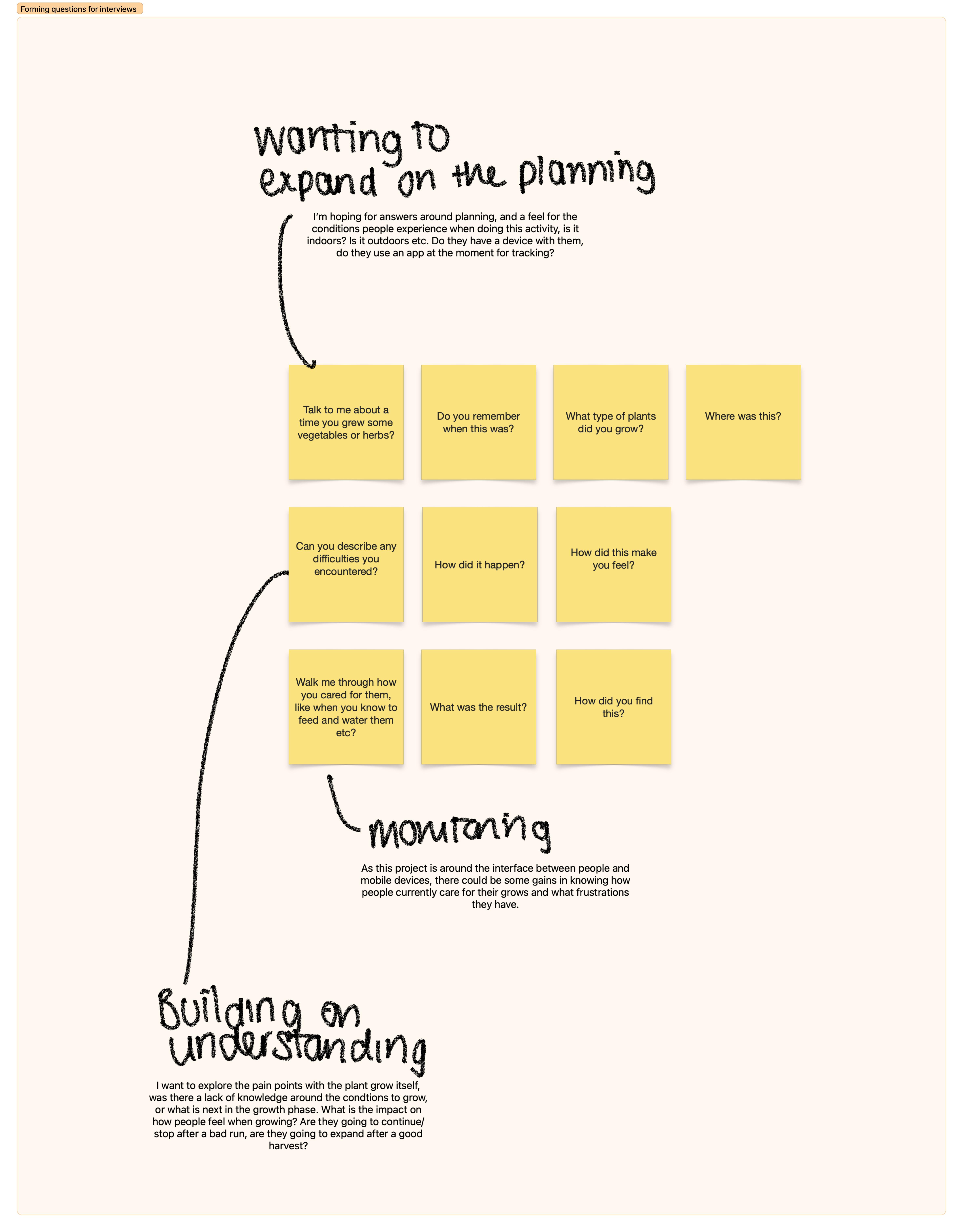

Interviews with growers from hobbyists to experienced practitioners surfaced a consistent pattern: the emotional response to plant failure was the underexplored design problem. People didn’t just feel frustrated when plants died — they felt responsible, and that responsibility was based entirely on guesswork. No sensor, no feedback, no way to know if they were doing it right until it was too late.
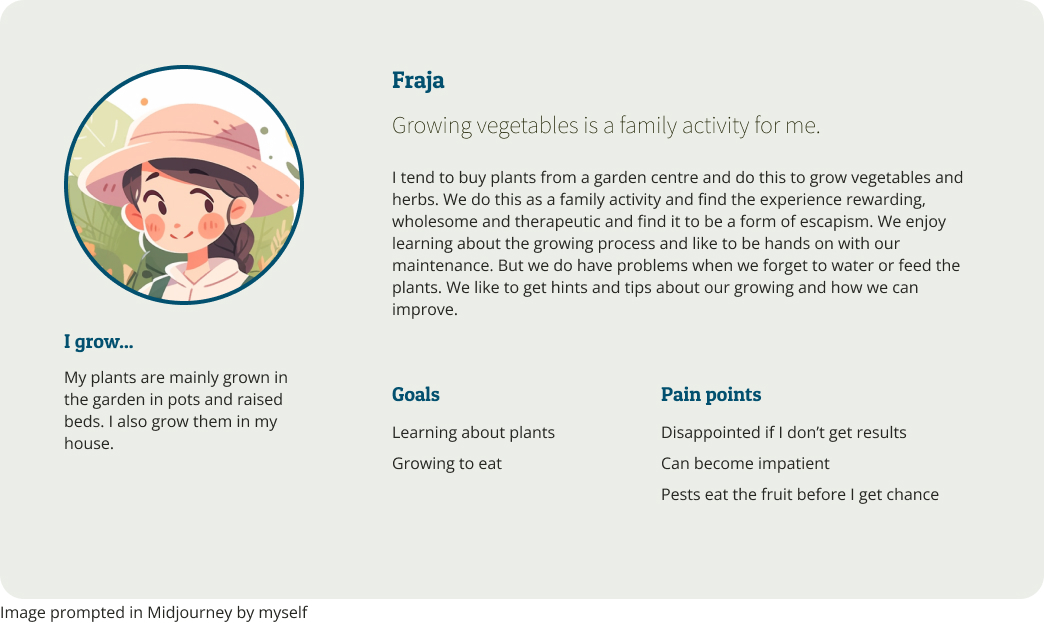
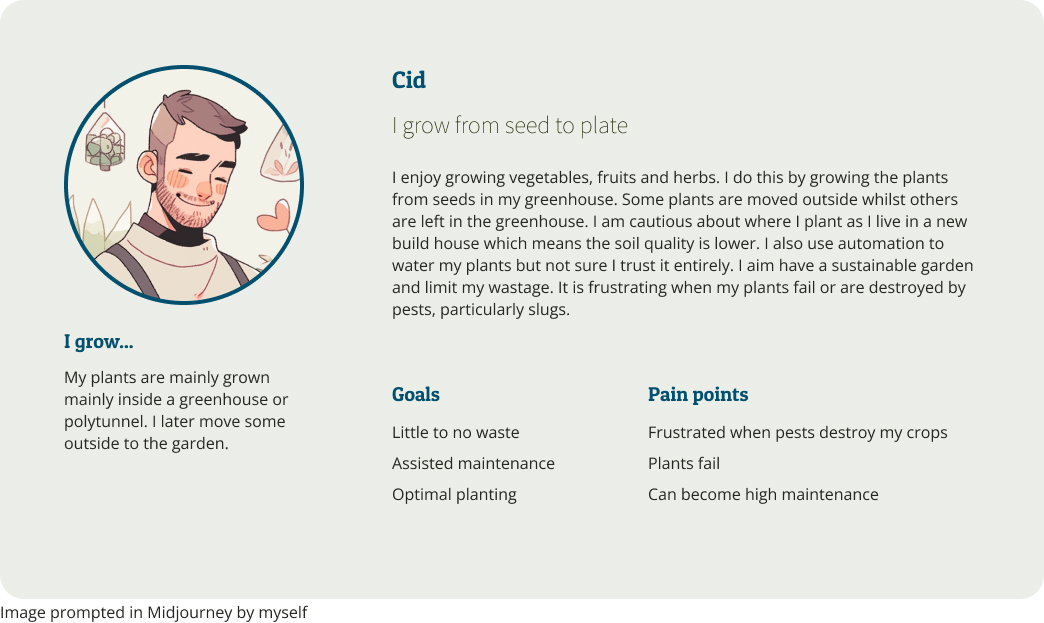
Two personas anchored the design: Fraja, a family gardener who wanted learning and therapeutic benefits from growing, and Cid, a technically confident grower focused on yield optimisation. Different goals, same core need: a system that told them what was happening before the damage was done.
The Problem With Version One
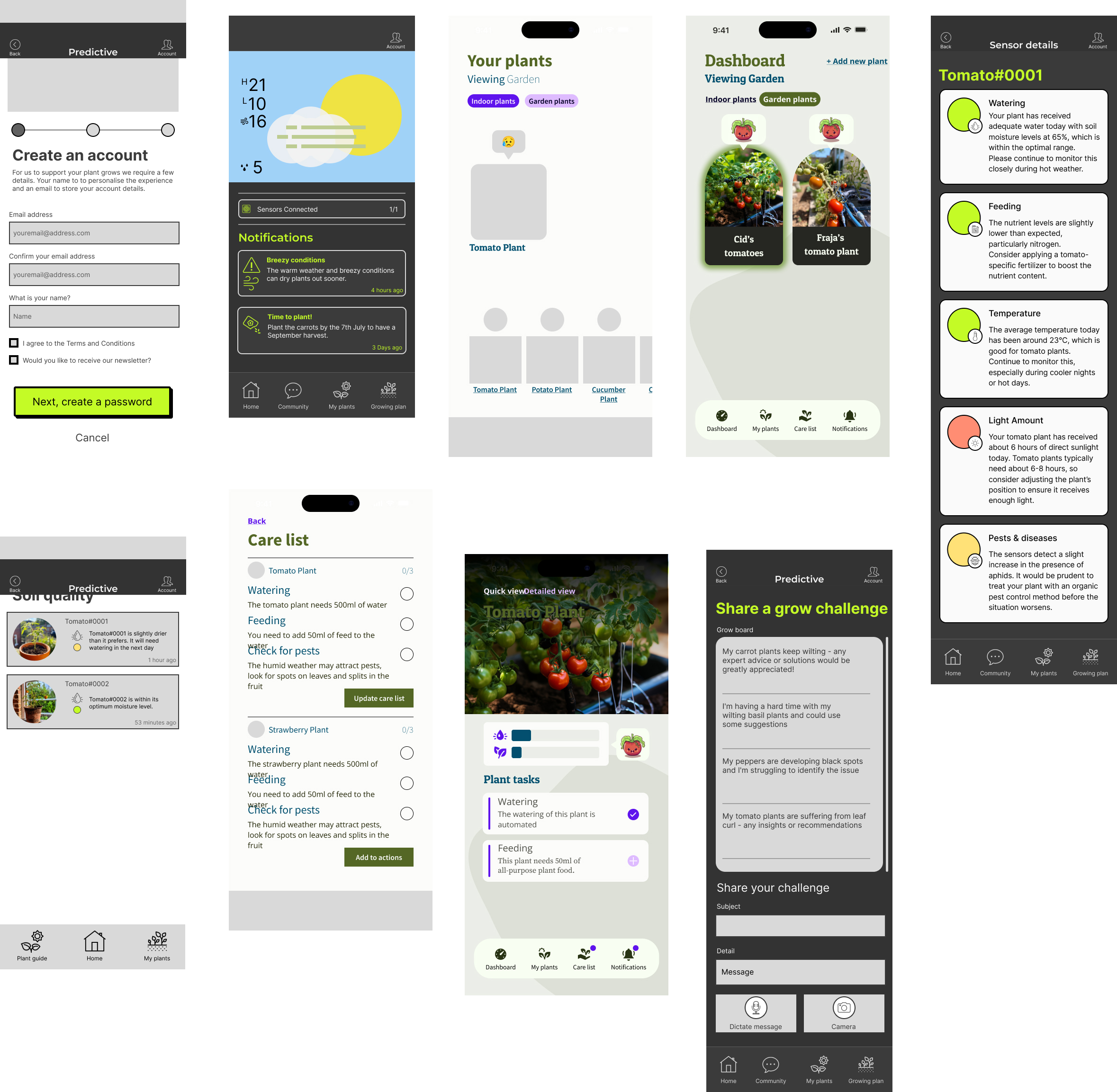
The first design tried to solve everything: soil moisture, weather integration, feeding schedules, growing tips, plant history. It was thorough and incoherent. Users kept asking the same question during early testing: “What is this app actually for?”
That question was the brief we should have started with.
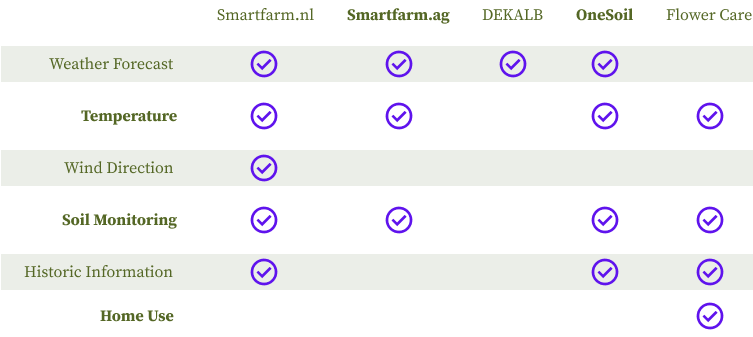
The competitive analysis told the same story. Platforms like Smartfarm.nl and OneSoil were built for commercial agriculture — technically capable, practically inaccessible for someone growing tomatoes in a back garden. There was a real gap at the consumer end, and we were filling it with the same complexity we were trying to replace.
The Pivot
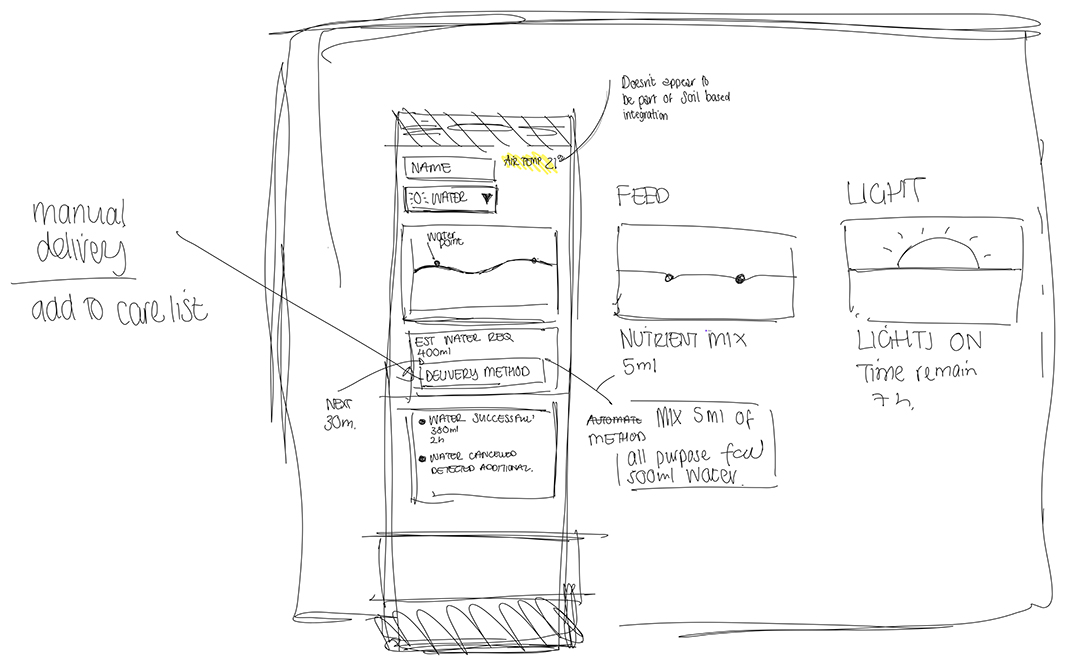
We removed weather integration entirely. It was the hardest call — weather clearly affects plants, and the data was available. But every test session confirmed the same thing: two competing value propositions made neither one legible. Users couldn’t tell if they were using a soil monitoring tool with weather features, or a weather app with soil monitoring bolted on.
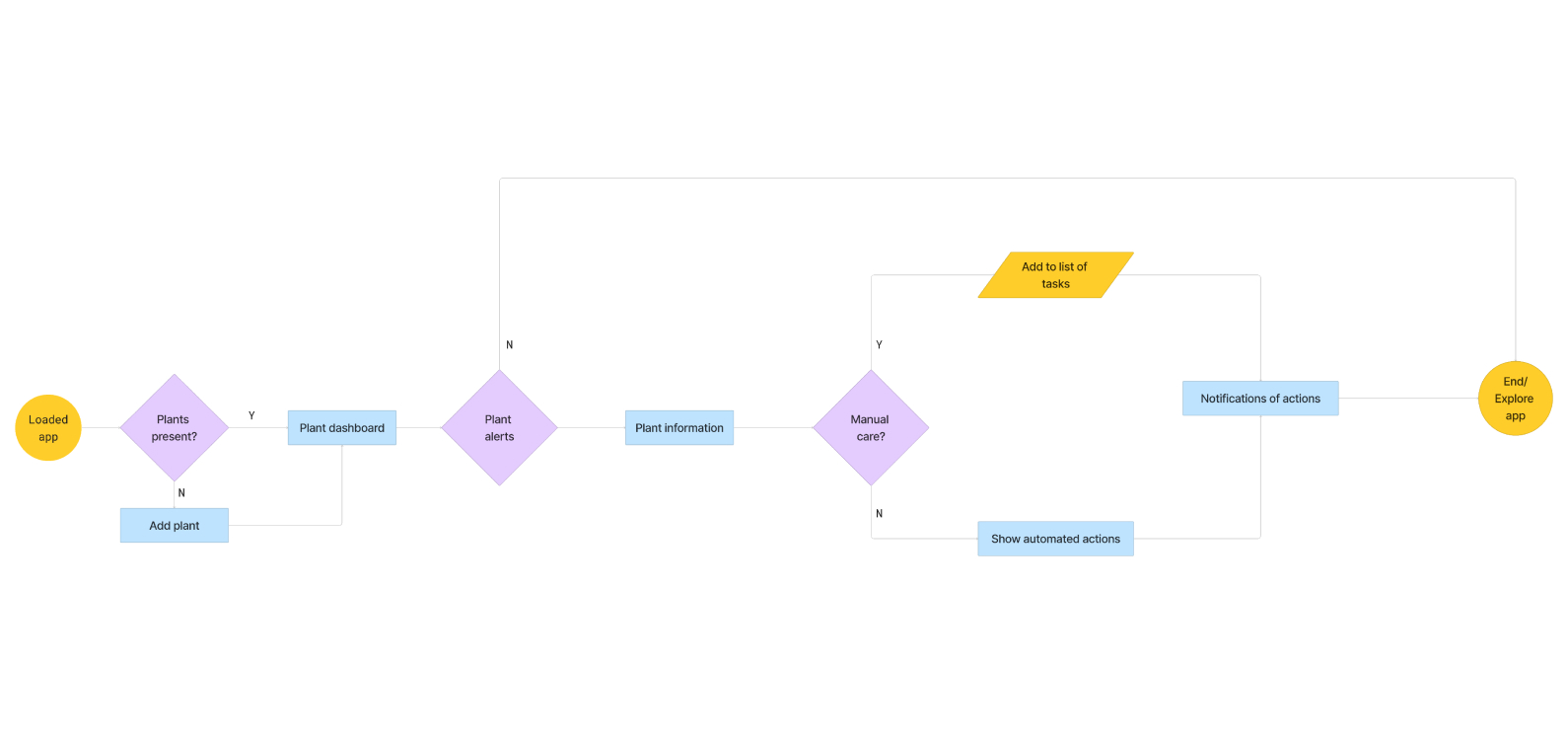
The cut made the product. Refocusing entirely on the sensor interaction — what the soil is telling you, what to do about it, what happens if you don’t — gave the design a clear answer to the question users kept asking.
The Design That Worked
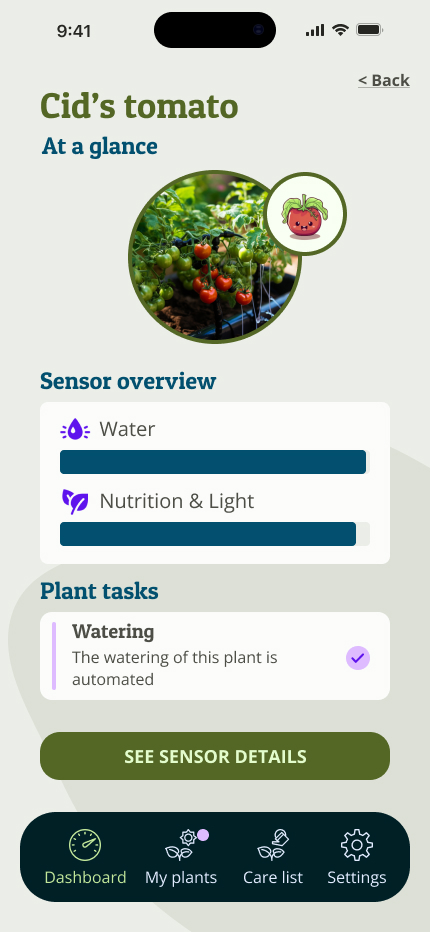
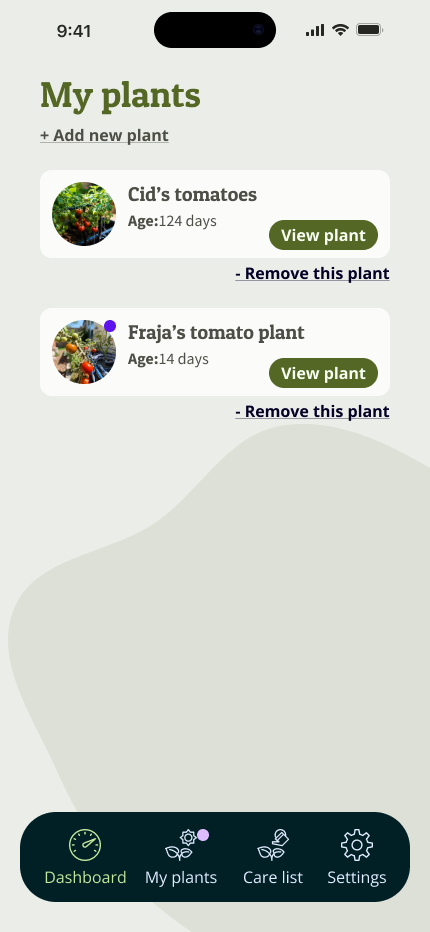
The emoji health system was the decision I was least confident about and the one users responded to most. Rather than surfacing raw sensor readings — which require interpretation — I used emoji states to communicate plant health: healthy, thirsty, or in distress. The logic came from virtual pet interfaces: the emotional response to a character in trouble is faster and more motivating than a number on a dial.
My six-year-old daughter was one of the testers. She had never evaluated a design before. She felt genuine empathy toward the sad plants, and visible satisfaction when the confirmation tick appeared after a care task was completed. That reaction — instinctive, uncoached, immediate — was the validation I needed. If the system could communicate plant distress clearly enough for a six-year-old to feel it, it would work for the growers who needed it most.
The visual design went through a full palette rebuild after the first version failed accessibility standards. I redesigned from photography references — plants, soil, natural light — validating all values against AA/AAA contrast ratios. The typography evolved from Inter to a Slab Serif based on user feedback, which added warmth to what could easily have felt clinical.
Testing
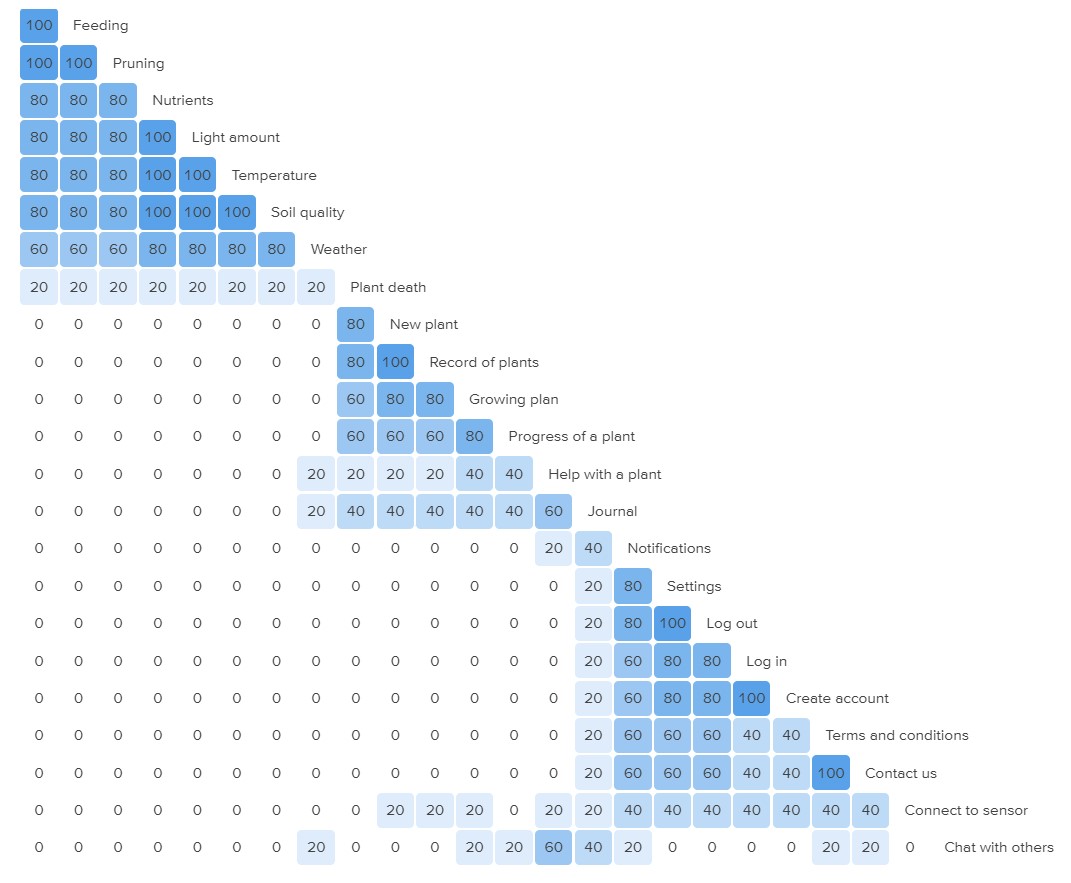
Chalk mark tests with 19 participants surfaced the gap between where users expected things to be and where they actually tapped. Card sort expectations didn’t always match interaction behaviour — a reminder that what people say they want and how they move through an interface are different data sets.
Button sizes and the dashboard layout were consistently praised. Initial usability needed work, but continued use revealed a learnability curve the design rewarded. Figma variables enabled dynamic prototype interactions so participants could experience the emoji state changes rather than view static screens.
What This Changed
The useful lesson wasn’t about plants. It was about scope. Feature decisions are design decisions — what you leave out determines as clearly as what you put in whether a product has a coherent identity. The first version of Green Grow tried to do more and communicated less. The final version did one thing and communicated it well enough that a six-year-old understood it without being told what it was for.
That’s the standard I now apply to the opening question of any brief: if someone who knows nothing about this product encounters it cold, what should they understand in the first thirty seconds? If there isn’t a clear answer, the scope hasn’t been settled yet.
More Projects
Conversational AI Advisor
Designing a conversational AI triage and quality framework for an online technology provider — from quantitative log analysis through to the behavioural specification used as the engineering build brief.
View Case Study → 02Ecotravel - Sustainable Travel Mobile App
A collaborative UX project developing a digital solution for sustainable travel, showcasing research synthesis and remote team collaboration across three time zones.
View Case Study →